
Every integration you built came with a domain account attached
The firewall. The VPN concentrator. The PAM platform. The ERP. That in-house application nobody wants to touch. Each was given a service account so it could authenticate users, and each one still has it.
That account usually has a password that never expires, can’t be placed behind multi-factor authentication, and can read almost the entire directory. On unencrypted LDAP, it crosses the network in the clear.
Nobody has overlooked this. The remedies are well known, and the reason they don’t get applied is structural: rotating the password, narrowing the permissions, moving to LDAPS and turning on LDAP signing each depend on one of the others being done first. The full deadlock is set out here.
Your exposure is set by your weakest integration, not your strongest product.
Why each fix stops, and how to check whether you have this — using a log your domain controllers are already writing: LDAP Service Account Security.
How it works
The application never holds a real domain password
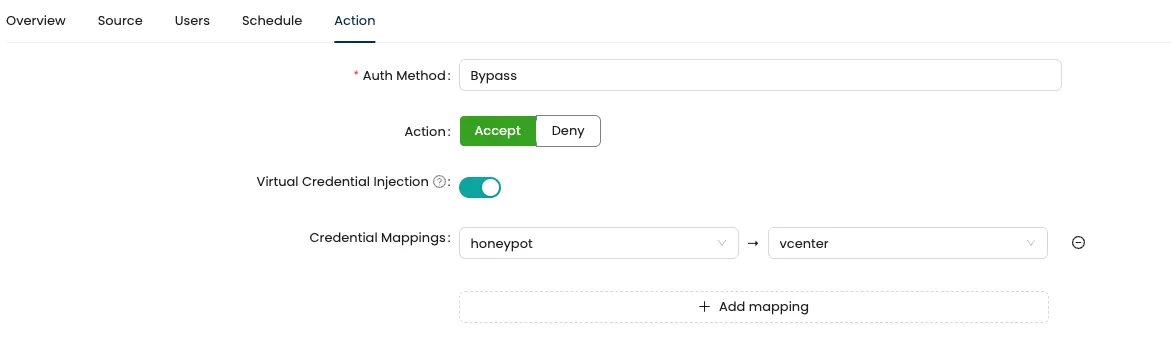
- The application binds to the proxy with a virtual credential — one that lives in Mirket and has no counterpart anywhere in the directory.
- The proxy makes no decision of its own. It asks Mirket Portal.
- Portal checks, in order: is there a policy for this credential, is the source address permitted, is the query inside the allowed DN scope, is this a service account or a person.
- If policy passes, Portal releases the real Active Directory credential to the proxy over the mutually authenticated, encrypted channel between them. The virtual credential never reaches the domain controller, and the real one never reaches the application.
- The onward bind is made over LDAPS or a signed bind, whatever the application itself was capable of speaking.
End-user binds can be tied to push approval. Service accounts are exempt, so routine directory queries don’t set off notifications all day.
The application keeps a credential. Active Directory doesn’t know it exists.
A credential captured on the wire now has no value as an Active Directory credential. There is no account behind it, so it cannot request a Kerberos ticket, authenticate over SMB, or be sprayed against anything else in the domain.
Detection
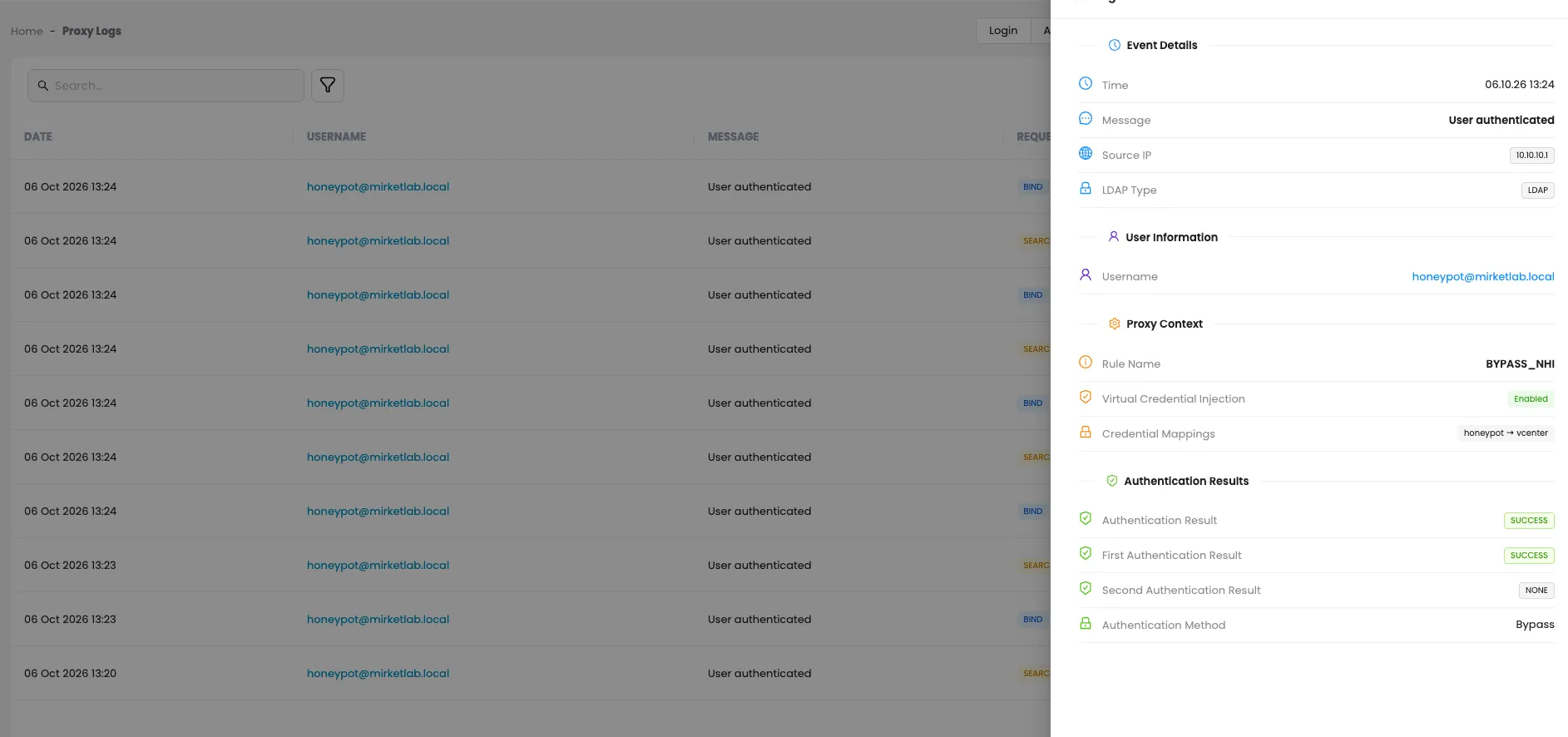
A stolen credential tells on itself
A virtual credential exists in Mirket and nowhere else. It has no account in Active Directory and no legitimate use outside a bind to the proxy.
So if it ever appears anywhere else — a Windows logon attempt, an SMB authentication, a Kerberos request, another application’s log — that is a high-confidence indicator that the credential has been taken out of a configuration file, because the credential has no other legitimate use.
Forward it to your log platform as a detection rule. It keys on where a credential appeared rather than on how somebody behaved, which is what makes it a far quieter signal than behavioral rules tend to be.
Capabilities
| Virtual credentials | Each application gets its own, with no counterpart in Active Directory. Activity is attributable per application, and one credential can be revoked without disturbing the others. |
| Credential injection | The real credential is returned by Portal and used only between the proxy and the domain controller. |
| Automated password rotation | The real service-account password is rotated on a schedule you define — daily if you want it — without editing a single application’s configuration. |
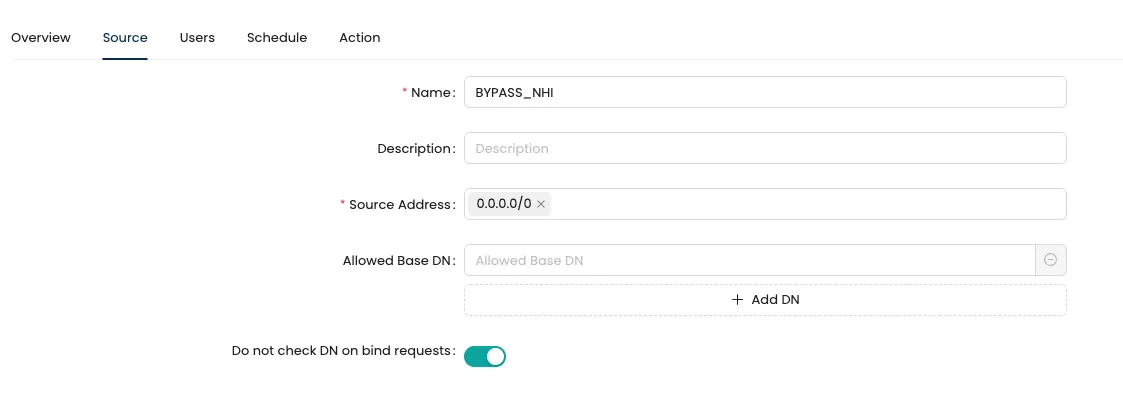
| Source IP restriction | Permitted addresses are set per credential. A bind from anywhere else is rejected. |
| DN scope restriction | A base DN is set per credential. Searches beyond it are rejected, so directory-wide enumeration stops being possible. |
| MFA on legacy applications | End-user binds tied to push approval, with no change to the application. |
| Protocol uplift | The domain controller leg runs over LDAPS or a signed bind even when the client speaks plain LDAP. |
| Central bind logging | Every bind passes through one point, so all of them can be logged. Directory traffic that was invisible becomes observable. |
See what your service accounts can read today
A technical demo on your own directory: what a captured bind currently buys an attacker, and what it buys them once the credential the application holds has no account behind it.

Completing the LDAP hardening
Turn on the hardening that one legacy application has been blocking
Microsoft’s ADV190023 covers two separate mechanisms, and it’s worth keeping them apart. LDAP signing protects the integrity of an unencrypted LDAP conversation, so a bind can’t be tampered with in transit. LDAP channel binding ties an LDAPS session to the TLS channel it arrived on, which is what defeats relaying that session somewhere else. Enabling either one can break a client that doesn’t support it.
That is usually why neither gets enabled: one product that speaks only cleartext LDAP holds the whole estate. The proxy removes the constraint — the client keeps speaking plain LDAP to the proxy, while the leg to the domain controller is established over LDAPS or as a signed bind. The legacy application is never touched.
Ports that have to be covered
| Port | Service | Note |
|---|---|---|
389/tcp | LDAP | Where simple bind happens without TLS — the primary exposure |
636/tcp | LDAPS | LDAP over TLS |
3268/tcp | Global Catalog | Include it wherever applications query the Global Catalog — otherwise that traffic can take a path around the proxy |
3269/tcp | Global Catalog (TLS) | Same |
389/udp | CLDAP | DC locator; carries no credential — leave it out of scope |
A note on the firewall rule. The obvious rule — block all LDAP to the domain controller except from the proxy — will break your domain. Windows itself depends on LDAP for Group Policy, certificate autoenrollment, DC locator queries and replication between domain controllers.
The rule has to be narrower: name the sources that must go through the proxy — third-party appliances, application servers and DMZ segments — and leave the domain’s own traffic alone. We walk through this during deployment.
Audit and compliance
PCI DSS v4.x
Req. 8.6Passwords for application and system accounts must not be hard-coded in scripts or configuration files (8.6.2), and must be rotated at a frequency the organization sets from its own targeted risk analysis — and whenever compromise is suspected (8.6.3). Virtual credentials take the real password out of every configuration, and rotation no longer means touching a product.
Microsoft
ADV190023LDAP signing and channel binding become applicable without modifying legacy applications.
ISO/IEC 27001:2022
Access control, credential management, and cryptographic protection in transit.
GDPR
Art. 32Encryption of personal data in transit — directory queries stop crossing the network in the clear.
Deployment
On-premise. Two components: Mirket Portal, which holds the policy and the real credentials, and a lightweight proxy agent that sits in front of the directory and enforces what Portal decides.
If Mirket Portal is already running, you don’t need another management server. Only the proxy agent is added.
On the application side, the only change is the LDAP server address.